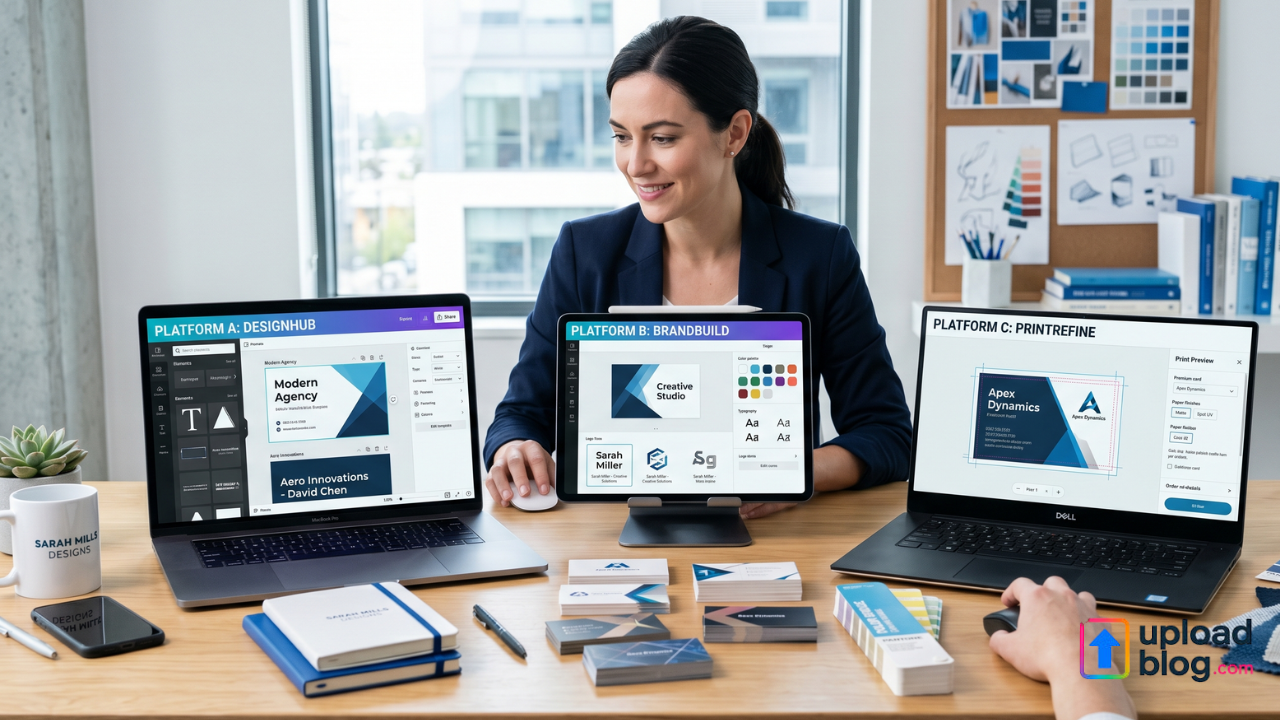
Business cards are still one of the best ways to network and build brand recognition. Whether you’re meeting clients, attending events, or forming partnerships, a good business card makes a strong impression.
Today, platforms like Design.com, Canva, and Vistaprint let you create professional business cards without needing to hire a designer. Each site offers a different mix of design quality, customization, and pricing.
Choosing the right tool depends on your preferences. Think about whether you want something easy to use, more design features, or high-quality printing. Below, we compare these three platforms to help you choose the best one.
What to Look for in a Business Card Creator
A good business card platform should offer design options and deliver professional results. Key factors include:
- Template Quality: Modern designs that match your industry
- Customization: Options to edit fonts, colors, logos, and layout
- Print Options: High-resolution files or direct printing services
- Brand Consistency: Aligning business cards with other branding materials
- Ease of Use: Simple tools for quick and efficient design
Design.com
Design.com is a comprehensive branding platform that provides professional business cards and AI tools. It’s aimed at users who seek unique, high-quality designs with little effort.
Strengths
- Large library of professional and exclusive business card templates
- AI-powered editing for text, colors, and layout
- Smooth brand matching with logos and other materials
- Variety of fonts and vector elements for customization
- Print-ready files in different formats (PDF, PNG, JPG)
- Collaboration tools for feedback and sharing
- A free plan with access to free business card templates, AI tools, and trial downloads, allowing users to explore features before upgrading
Additional Features
- Over 50 branding tools, including logos, flyers, and social media posts
- Digital business cards and QR code integration
- AI website builder and business name generator
- Commercially safe and exclusive designs
- No additional design skills required
Business Card Samples
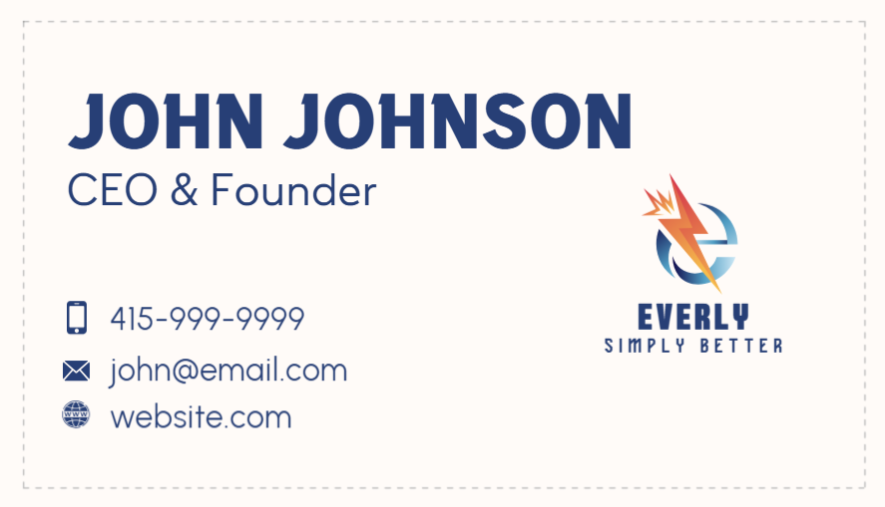


Design.com gives the best mix of design quality, customization, and branding tools, making it great for professional business cards.
Canva
Canva is a popular drag-and-drop design platform known for its ease of use and accessibility. Many people use it to create business cards, social media graphics, and marketing materials.
Strengths
- Thousands of business card templates
- Easy-to-use drag-and-drop editor
- Large library of fonts, icons, and images
- Quick resizing and export options
- Collaboration tools for teams
- Free access to many business card templates, basic editing tools, and downloads (some premium elements are only available with Pro)
Additional Features
- Brand kits for consistent colors and fonts
- Social media graphics, presentations, and marketing assets
Weaknesses
- Templates can look similar across users
- Some premium elements require a subscription
- Limited customization compared to professional tools
Business Card Samples
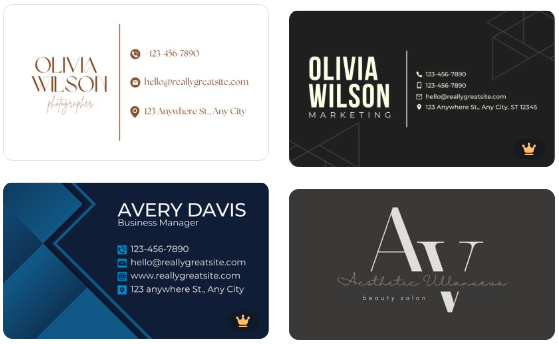
Canva is a great choice for beginners who want quick and easy business card designs, but it may not offer much uniqueness.
Vistaprint
Vistaprint is mainly a printing service that also provides business card design tools. It is best known for producing physical cards with reliable print quality.
Strengths
- Printing services
- Variety of paper stocks and finishes
- Pre-designed templates for quick setup
- Option to upload custom designs
- Access to the design tool for free; create and preview cards without paying. Printing is a paid option.
Additional Features
- Direct delivery of printed business cards
- Marketing materials like flyers and signage
Weaknesses
- Limited customization compared to design-focused platforms
- Basic design tools
- Less flexibility for digital branding
Business Card Samples

Vistaprint is best for users interested in printing physical business cards instead of focusing on advanced design.
Feature Comparison Chart
| Feature | Design.com | Canva | Vistaprint |
| Templates & Design Quality | Professional, exclusive templates | Large selection of templates | Basic templates focused on print |
| Customization | AI-powered editing, full control | Drag-and-drop, moderate flexibility | Limited editing tools |
| Print-Ready Files | PDF, PNG, JPG | PDF, PNG, JPG | Print-focused output |
| Branding Cohesion | Strong, across multiple tools | Brand kits available | Limited branding ecosystem |
| Ease of Use | Beginner-friendly with advanced tools | Very easy to use | Simple but limited |
| Free Plan Available | Yes – basic templates & AI tools | Yes – templates & editor | Yes – design preview tool |
| AI Design Tools | Yes | Limited | None |
| Template Uniqueness | Exclusive designs | Common templates across users | Basic, standard designs |
| Printing Services | Available via integrations | Can export for printing | Core service |
| Collaboration Tools | Yes, feedback & sharing | Yes | Minimal |
Final Verdict
All three platforms offer useful features, but they serve different needs. Canva is ideal for quick and simple designs. Vistaprint excels at printing physical business cards.
However, Design.com clearly stands out as the best option. Its mix of exclusive templates, AI-powered customization, and a complete branding system makes it the most thorough solution. It allows users to create business cards that are professional, unique, and fully connected to their brand.
If you’re looking for high-quality, customizable business cards with strong branding capabilities, Design.com is the best choice. Canva works well for beginners, and Vistaprint is great for printing. For overall design quality and flexibility, Design.com leads the way.