

Instagram Stories disappear from public view after 24 hours, making it easy to lose useful content before revisiting it. For bloggers, content creators, and social media managers, saving relevant Stories can support campaign planning, creative research, and content organization.
Several methods are available, including browser-based downloaders, Instagram’s built-in features, screen recording, and professional archiving tools.
This guide explores seven practical ways to save Story content, covering their benefits, limitations, privacy considerations, and suitability for different content planning workflows.
How We Chose the Best Ways to Save Instagram Stories
Not every Instagram Story saver offers the same experience. Some are designed for occasional downloads, while others focus on managing larger media collections.
We considered several factors:
- Privacy: Whether the method requires Instagram credentials or unnecessary permissions.
- Supported content: Compatibility with Stories, Highlights, Reels, and photos.
- Quality: Preservation of available image resolution and video clarity.
- Ease of use: Simple downloading and file access.
- Compatibility: Availability across mobile and desktop devices.
- Cost: Free features, subscriptions, and usage restrictions.
- Content rights: Responsible saving without bypassing privacy settings.
The right choice depends on whose Stories you’re saving and how you plan to use them.
7 Smart Ways to Save Story Content
1. Use Grabfy for Public Instagram Story Downloads
Grabfy provides a convenient browser-based solution for saving publicly accessible Instagram Stories without installing additional applications.
For bloggers and social media managers, Grabfy is particularly useful for collecting creative references, preserving approved campaign materials, and organizing public Instagram content for future planning.
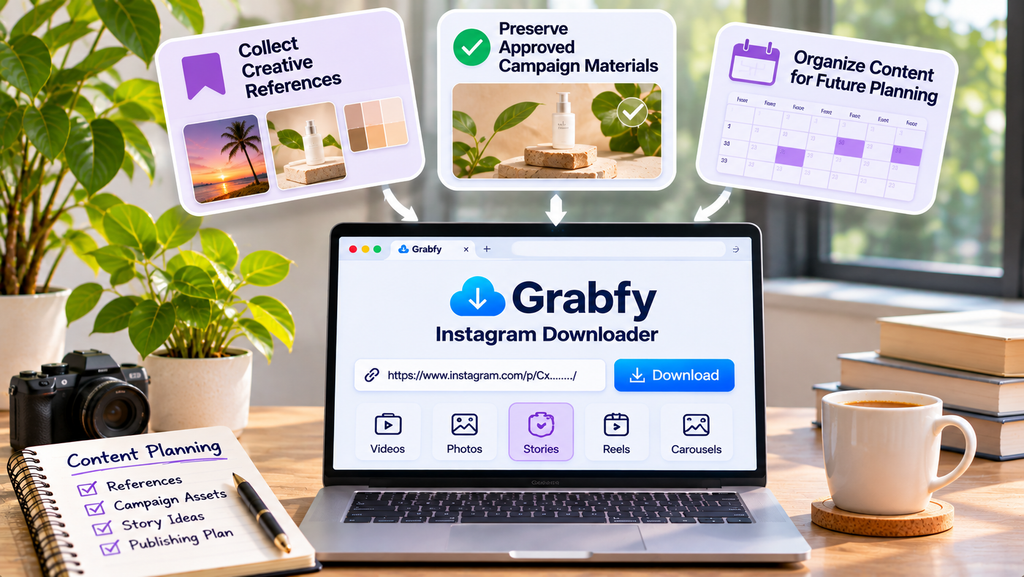
Its link-based workflow allows users to save supported Story photos and videos without entering Instagram credentials into the downloader.
How to save Instagram Stories with Grabfy:
- Open Instagram and find an active Story from a public account.
- Use the available sharing options to copy its link.
- Open the Instagram Story Saver.
- Paste the copied URL into the download field.
- Select Download and save the available file.
Downloaded files generally appear in your device’s Downloads folder or another browser-selected location.
Best for: Bloggers collecting inspiration, social media managers organizing authorized references, and creators saving supported public Stories.
Limitations: Grabfy cannot retrieve private Stories, Close Friends content, or media that is no longer publicly accessible.
2. Use Instagram’s Built-In Save and Archive Features
Instagram provides native options for preserving Stories you’ve created.
You can save active Stories to your device, maintain a private Story Archive, or feature selected Stories as Highlights.
How to save your own Stories:
- Open Instagram and navigate to your Story.
- Tap the options menu.
- Select the available Save option.
- Check your device’s photo library.
When Story Archive is enabled, eligible Stories can remain accessible after disappearing from public view.
This method is useful for maintaining personal content libraries and documenting previously published campaigns.
Best for: Creators and businesses preserving their own Instagram content.
Limitations: Native saving primarily applies to your own Stories. Licensed music and interactive elements may not appear in saved versions.
3. Try Other Browser-Based Story Savers
Other browser-based downloaders provide similar options for saving publicly accessible Instagram Stories.
Some accept direct Story links, while others support searches using public Instagram usernames.
Depending on the service, additional features may include downloading Reels, photos, Highlights, and carousel posts.
These tools can be convenient for occasional downloads without installing software.
However, some websites contain excessive advertising, misleading buttons, or requests for unnecessary personal information.
Best for: Users comparing occasional public-content downloading options.
Limitations: Features, download quality, privacy practices, and free usage restrictions vary.
4. Use Screen Recording for Visual References
Screen recording can preserve visible Instagram Story content when direct downloading is unavailable.
Modern iPhones and Android devices generally include built-in recording controls.
On iPhone, open Control Center, start Screen Recording, play the Story, and stop recording when finished.
Android users can follow a similar process through Quick Settings.
Screen recording can capture visible animations, transitions, and interactive Story designs.
However, recordings may include usernames, progress indicators, and other interface elements.
Best for: Documenting your own interactive Story designs or capturing permitted visual references.
Limitations: Video quality depends on recording settings, and audio capture may be restricted.
5. Organize Stories Using Professional Archiving Tools
Professional content management platforms can help agencies organize approved Instagram materials across multiple campaigns.
These systems may provide centralized storage, searchable records, collaboration features, and reporting integrations.
For example, a marketing agency can organize Story assets by client, campaign, publication date, and content category.
However, retrieving Instagram content through automated systems depends on available integrations and permissions.
Best for: Agencies, brands, and marketing teams managing larger authorized media libraries.
Limitations: Professional platforms may require subscriptions, setup, and additional account permissions.
6. Save Story References in Organized Content Folders
Downloading content is only useful when you can locate it later.
Create folders based on content planning needs, such as Campaign Inspiration, Blog References, Storytelling Techniques, and Approved Assets.
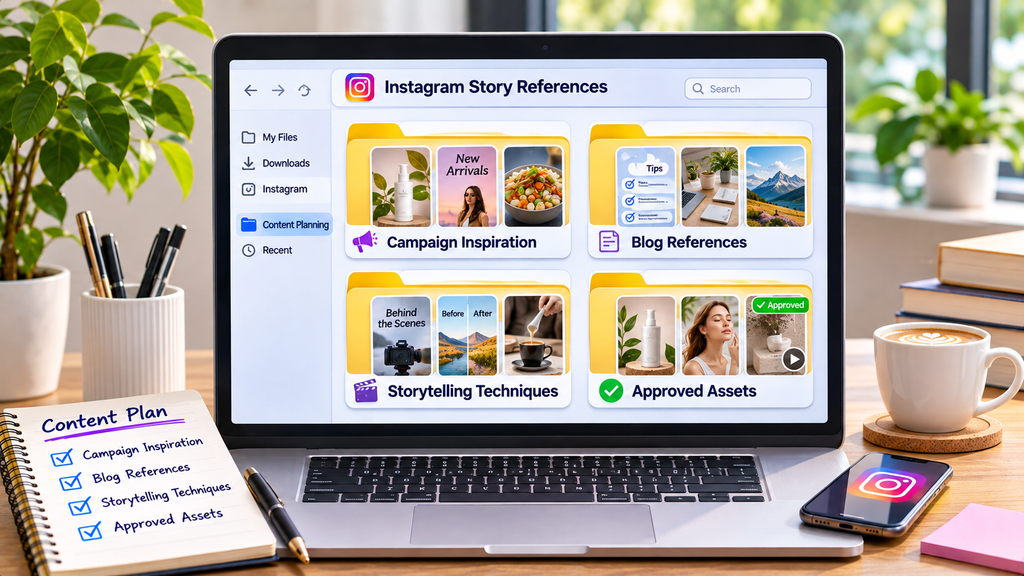
Use descriptive filenames containing the creator, topic, and date.
Keep the original Instagram URL alongside each saved file to preserve attribution and source information.
This approach makes it easier to transform collected references into organized editorial plans.
Best for: Bloggers and content creators building reusable research libraries.
7. Combine Story Downloads with Content Planning Workflows
A structured workflow helps turn saved Instagram Stories into useful planning resources.
Start by identifying relevant public Stories, downloading authorized references, and categorizing them by purpose.
For creators managing several Instagram formats, the Instagram downloader available through Grabfy provides a convenient starting point for collecting supported public Stories, Reels, photos, and videos.
After saving the files, organize them alongside blog outlines, campaign notes, and content calendars.

This creates a more practical system for reviewing creative examples without repeatedly searching Instagram.
Best for: Content teams combining social media research with blog and campaign planning.
How to Choose the Right Story Saving Method
Consider Whose Stories You’re Saving
For your own Stories, Instagram’s Archive is generally a convenient option.
For publicly accessible Stories from other accounts, browser-based downloaders may help save people’s stories from public accounts when supported.
Private content should only be accessed with appropriate permission, while content from private accounts remains off-limits without it.
Consider How Frequently You Save Content
Occasional downloads rarely require dedicated software. Some free options have a daily limit, while others promote unlimited downloads through a paid subscription.
For frequent content research, organized folders and consistent naming conventions can improve efficiency.
Teams managing larger collections may benefit from professional archiving systems, while one tool may be enough for occasional needs; higher-volume workflows usually compare limits and subscriptions.
Consider Privacy and Security
Avoid websites requesting Instagram passwords, verification codes, or unnecessary permissions.
Downloading a Story without signing into Instagram may help you download Instagram stories anonymously from supported public content, and with some anonymous viewers or downloaders, the account owner would not see your username in the Story viewer list, but it still does not guarantee complete online anonymity.
For browsing rather than downloading, Grabfy also offers an Instagram Story Viewer for supported public content.
Tips for Saving Instagram Stories Safely
Check Download Quality
Downloaded media may reflect Instagram’s compression, but a direct download can preserve the original story better than a screenshot or screen recording, even though source compression still applies.
A downloader cannot restore details already lost from the source file, though some tools claim quality loss is minimized because files are retrieved directly rather than re-recorded.
For professional projects requiring high-resolution footage, request the original file from its creator.
Respect Copyright and Permissions
Public availability does not automatically grant permission to republish content.
Obtain appropriate authorization before using another creator’s Stories in advertisements, commercial projects, or published materials.
Attribution alone does not replace permission, and rights belong to the original content creator or account owner even when a Story is publicly accessible.
Keep Important Files Organized
Save relevant public Stories before they expire.
Maintain backups of important authorized materials using reliable local or cloud storage.
Frequently Asked Questions
Can you save Instagram Stories without logging in?
Yes. Some browser-based tools support downloading publicly accessible Stories without Instagram login credentials.
Can you download Stories after 24 hours?
Generally, only if the creator has preserved them as publicly accessible Instagram highlights or shared them again; expired, unhighlighted Stories usually can’t be recovered once they’re no longer available on Instagram’s servers, while publicly visible Highlights may still be downloadable as long as they remain active on the profile.
Can you save Instagram Stories in HD?
Some downloads preserve available HD quality, but resolution depends on the source media.
Can you save private Instagram Stories?
Public downloaders cannot legitimately bypass private-account restrictions.
Final Thoughts
Saving Instagram Stories can support creative research, social media planning, and blog content development.
Browser-based downloaders provide convenient access to supported public content, while Instagram’s native features help preserve your own Stories.
Combine responsible downloading with organized folders, reliable backups, and appropriate creator permissions to build a useful content planning library.